25 FUN Just for Showing Up
BLUEPRINT25
- No payment needed to claim
- Enter the code after your first launch
- One claim per player
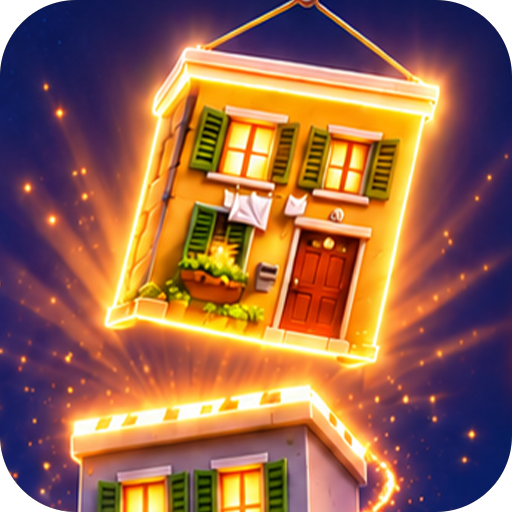
Pick the right section, watch it snap into place, and chase 60 stars across 20 building projects.
Download Tower RushLive on Google Play for Android. Today's blueprint is already on the crane hook.
Three promo codes, three ways to start. Tap a card to mark your pick, copy the code, then enter it after you install Tower Rush.
BLUEPRINT25
STEELMATCH100
SPIN25RUSH
These are promotional offers listed on this independent page. The Google Play listing does not confirm them, so value, eligibility and availability are set by the app's own terms. FUN is the play-money label seen in the promo art. Play only where it is legal and only if you are of legal age.
Every project in Tower Rush is a short stack of floors. A glowing orange outline marks the empty slot at the top, and a column of pieces waits below it: a dark steel block with an X cross-brace and an orange center dot, a flat stone-brick slab, a taller stone block with a vertical slot, and a block with an open arch. Your job is to pick the section that belongs in that slot.
Choose well and the piece fits on its own. The tutorial puts it plainly: "Correct pieces fit automatically. Finish every floor." Choose badly and the piece stays outside the tower, because "Mistakes lower stars." That single rule drives the score. The header counts stars as STARS 0/60, and BEST tracks your top percentage.
Around the build screen sits a compact toolkit: PROJECT 1/20 progress, a DAILY BLUEPRINT button, a RECENT #1 shortcut back to your last project, and bottom tabs for Projects, Plans, Materials and Stats. A 6-page HOW TO PLAY guide opens from the round "?" icon. One honest note: the Google Play promo art also shows a crane-drop scene with +10.00, +25.00 and +50.00 labels and a Players table with Bet FUN and Win FUN columns. The store text describes a puzzle, so check what you get after install.
| App title | Tower Rush (the store title uses look-alike letters, so screen readers may read it oddly) |
|---|---|
| Platform | Android, via Google Play |
| Package ID | com.stonelayers.towerrush |
| Store description | Pick the right stone or steel section and build a tower one floor at a time |
| Projects | 20 (shown as PROJECT 1/20) |
| Star scale | 0 to 60 (shown as STARS 0/60) |
| Tutorial | 6 pages, with a NEXT button |
| Main tabs | Projects, Plans, Materials, Stats |
| Extra modes | Daily Blueprint, Recent #1 |
| Version, size, OS | Not shown in our source data. See the Google Play page. |
| Rating, downloads | Not shown in our source data. See the Google Play page. |
| Page checked | 18.11.2026 |
Each floor asks one question: which section fits? Steel blocks carry an X brace, stone slabs show brick lines, and tall stone blocks have a vertical slot.
Pick the correct section and it settles into the glowing outline by itself. No fiddly alignment, just the right decision.
A wrong choice stays outside the tower and drags your star rating down. Clean builds are how you climb toward 60 stars.
Work through PROJECT 1/20 and beyond, with a BEST percentage that keeps your top run on display.
Open the Daily Blueprint for a fresh plan, or tap RECENT #1 to jump straight back into the project you touched last.
HOW TO PLAY covers building, mistakes and more across six short pages. Each page has one rule and a NEXT button.
Tower Rush for Android installs through Google Play. Price and file size are on the store page, and the first project opens right after launch.
Download Tower RushRequirements, ads and in-app purchase details, and the age rating are not in our source data. Confirm them on Google Play before you install.